Show your PDFs as flipbooks on WordPress
Connect your site to Flipable, add a PDF from your Media Library and place the flipbook on any page with a block or a shortcode.
The plugin is free, and so is the Flipable plan to start with: 1 catalog of up to 100 pages.
Up and running in three steps
- 1
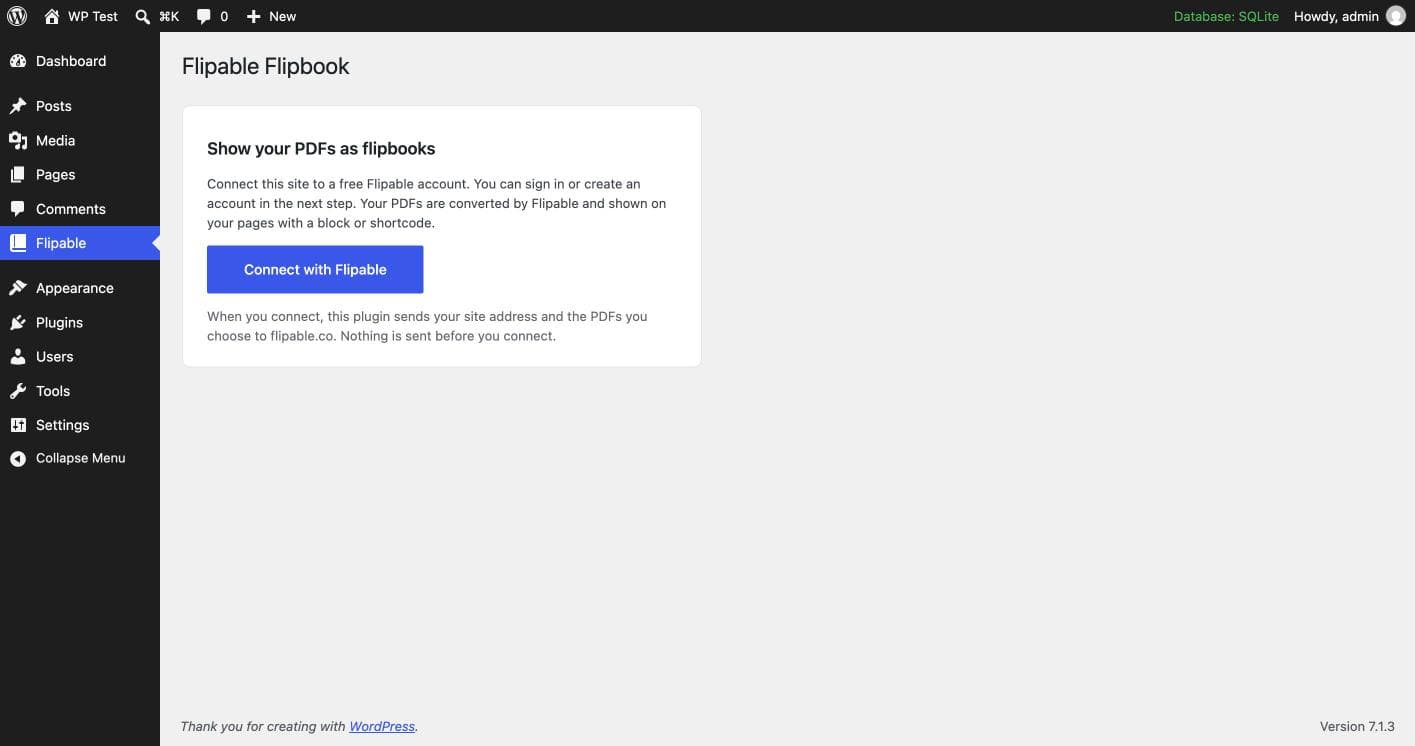
Connect
Install the plugin and choose “Connect with Flipable”. Sign in, or create a free account in the next step.
- 2
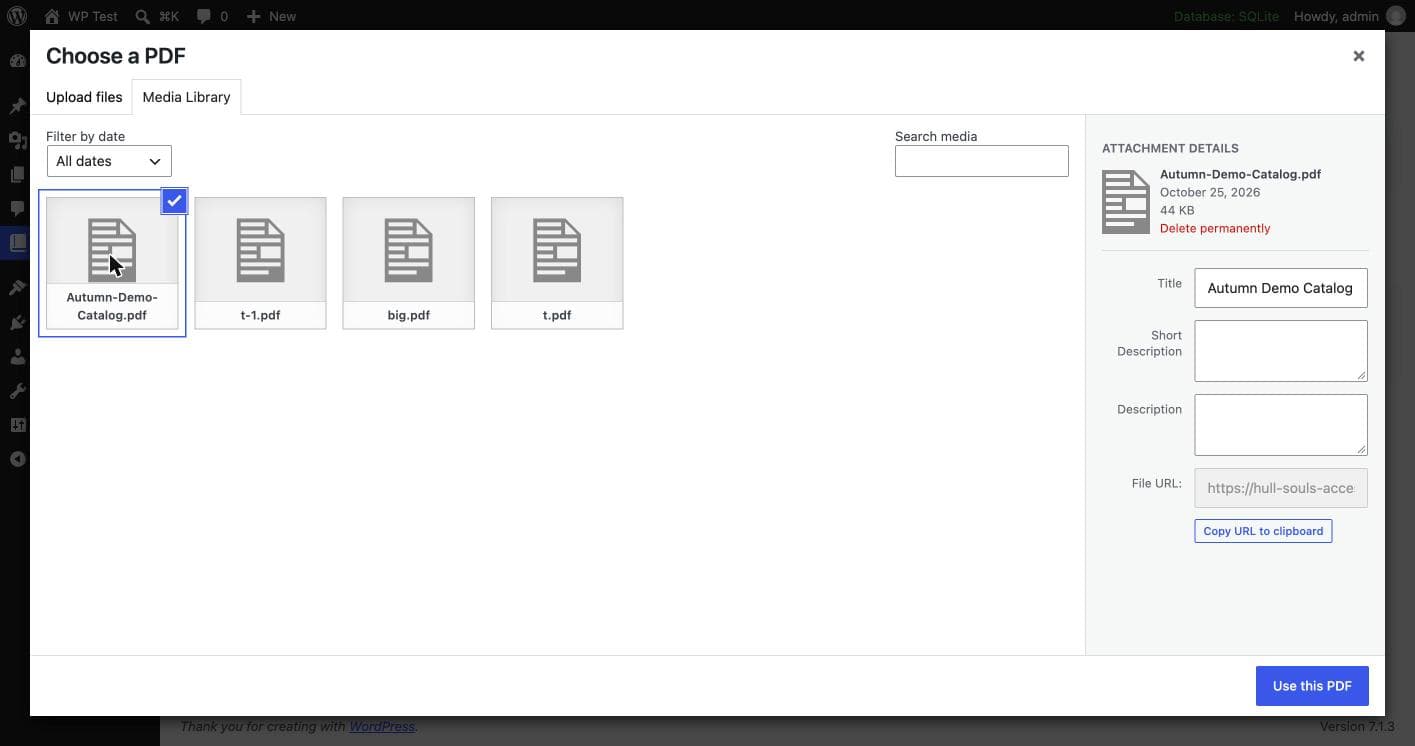
Add a PDF
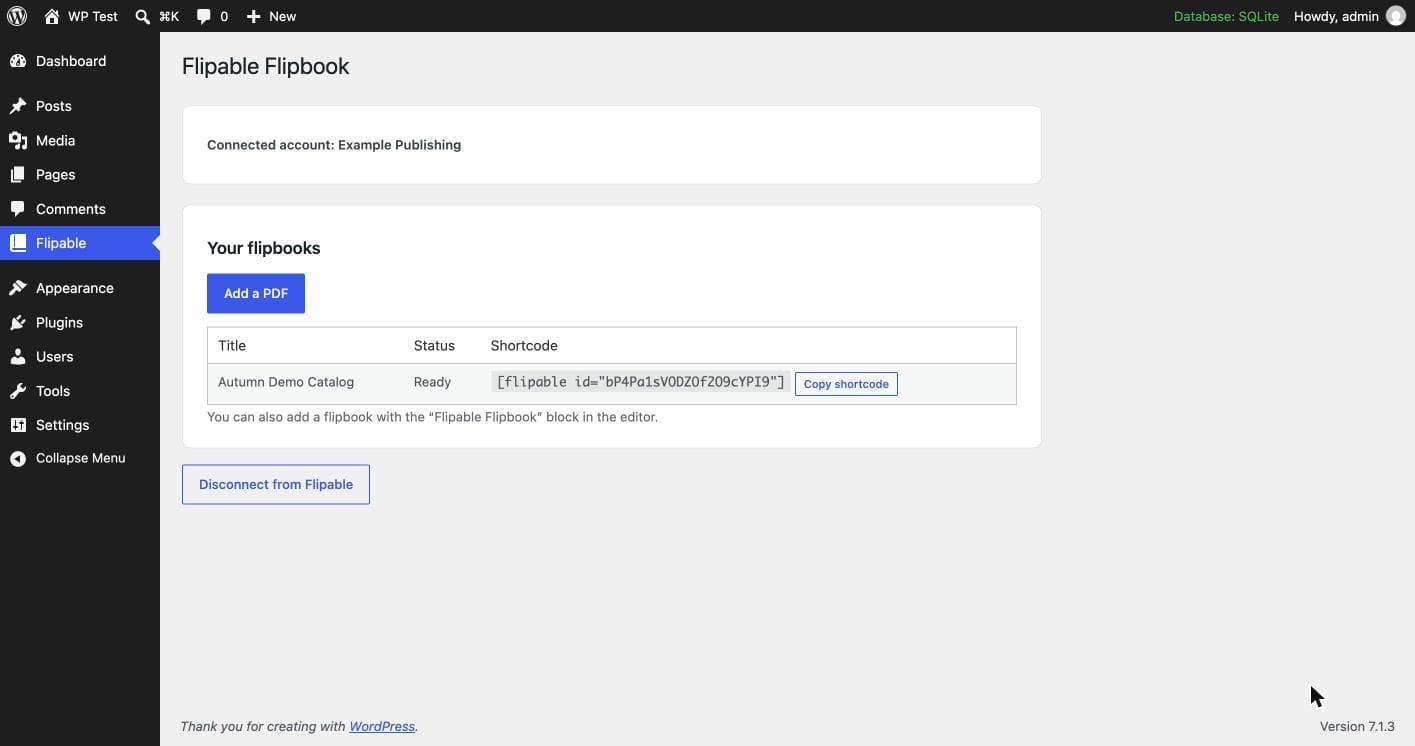
Pick a PDF from your Media Library. Flipable converts it into a flipbook and its status shows on the plugin page.
- 3
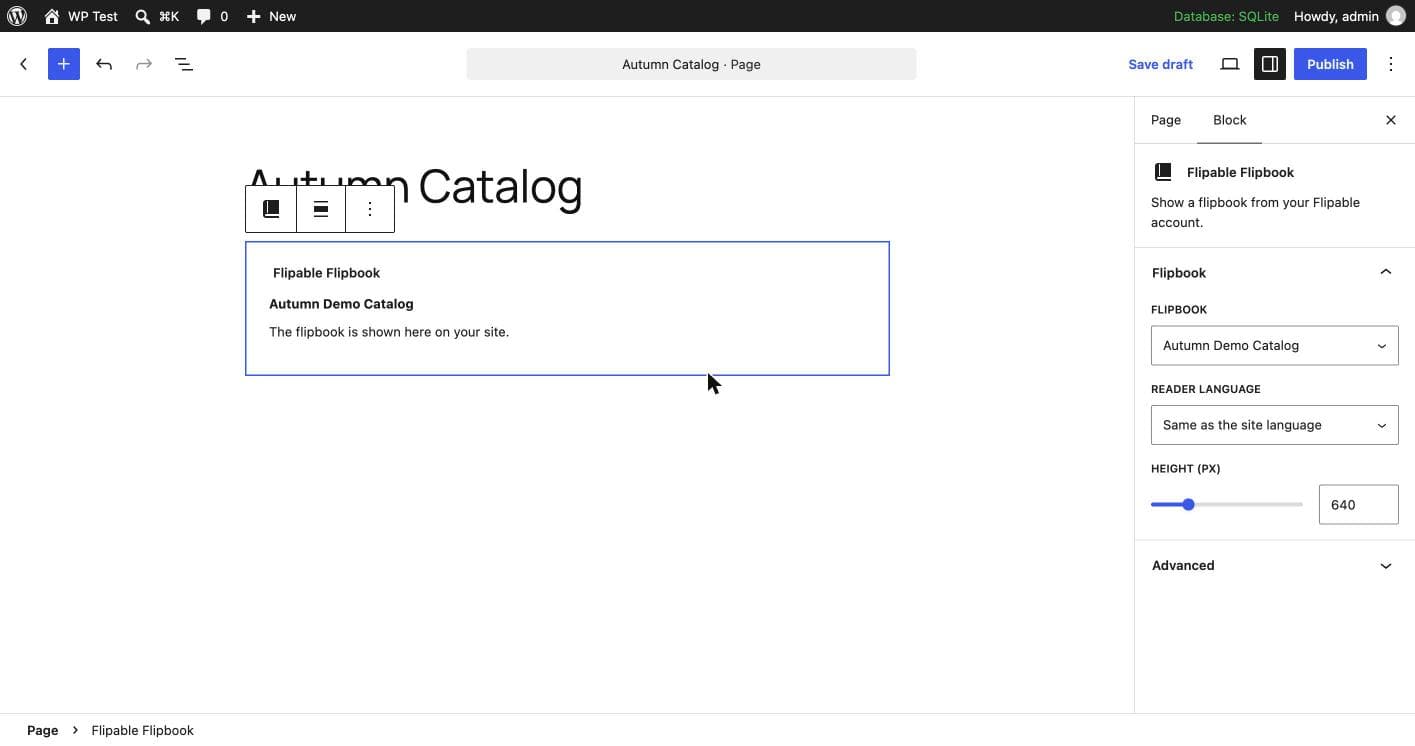
Show it
Add the Flipable Flipbook block to a page, or paste the shortcode. The flipbook appears on your site.
What you get
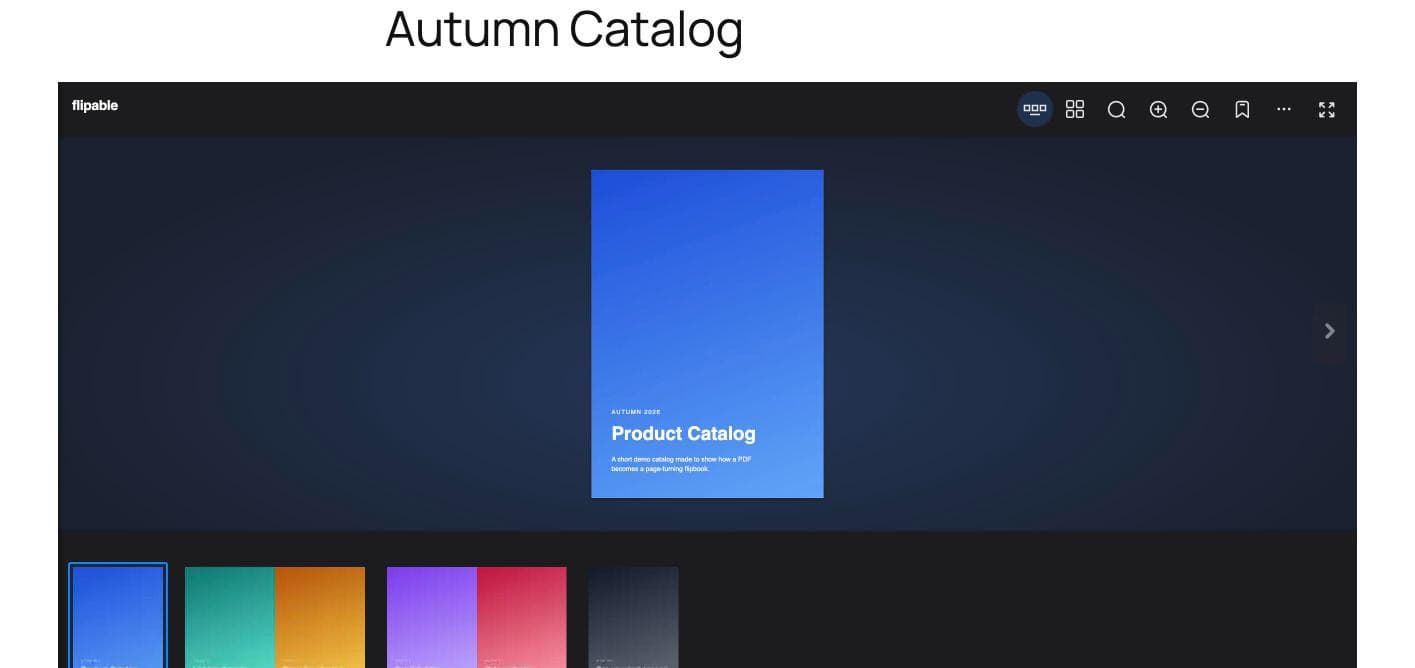
- A page-turning reader with thumbnails, search, zoom, bookmarks and fullscreen.
- Works on phones and desktops: one page on narrow screens, two on wide ones.
- A block for the editor, or a shortcode for anywhere else.
- Reading statistics in your Flipable dashboard: how often it is opened and which pages are read.
See it in action
Questions
Is it free?
The plugin is free. It works with your Flipable account, and the free plan covers 1 catalog of up to 100 pages (PDFs up to 50 MB). Paid plans add more catalogs, pages and storage.
What do I need?
WordPress 6.2 or newer, PHP 7.4 or newer, and a site with a public https address. A site that only runs on localhost or plain http cannot be connected.
What does the plugin send to Flipable?
Nothing is sent before you connect. After you connect, it sends your site address and the PDFs you choose to turn into flipbooks.
Where is my PDF converted?
PDFs you choose are uploaded to your Flipable account and converted there. The flipbook is shown inside your page from Flipable's reader.
Can I use it on more than one site?
That depends on your Flipable plan: the free plan covers 1 site address, and some paid plans allow more. Each site is connected separately.
How do I disconnect a site?
On the plugin page choose “Disconnect from Flipable”, or open Settings in your Flipable dashboard and disconnect the site there. The plugin stops working on that site until you connect it again.
Ready to show your first flipbook?